CNC Routing in Las Vegas — Instant Quotes
Instant-quote CNC routing in Las Vegas for plywood, MDF, plastics, and composite panels. Upload STEP, DXF, or SVG files, review the detected features, and see each part’s price and your total before approving a proof.

The process at a glance
Built around the details.
- Sheet & cutting envelope
- 61″ × 121″
- Tolerance
- Machine positions to ±0.001″; parts typically hold ±0.005–0.010″, depending on material
- File formats
- .STEP / .STP (preferred), .DXF, .SVG
Small details. Considered from the start.
Illustrated routing features · not to scale
Pockets & dados
Partial-depth features. Review the cut type and depth before confirming your part.
Holes & drilling
Round features for your design. Check the detected holes and depths in the feature viewer.
Profiles & cutouts
Through-cuts define the part’s outline and internal openings. Review them before approving your proof.
From sheet to something useful
See the possibilities in your parts.
Sample illustrations. Assembly, hardware and finishes are shown for context; the routing quote covers your configured parts.
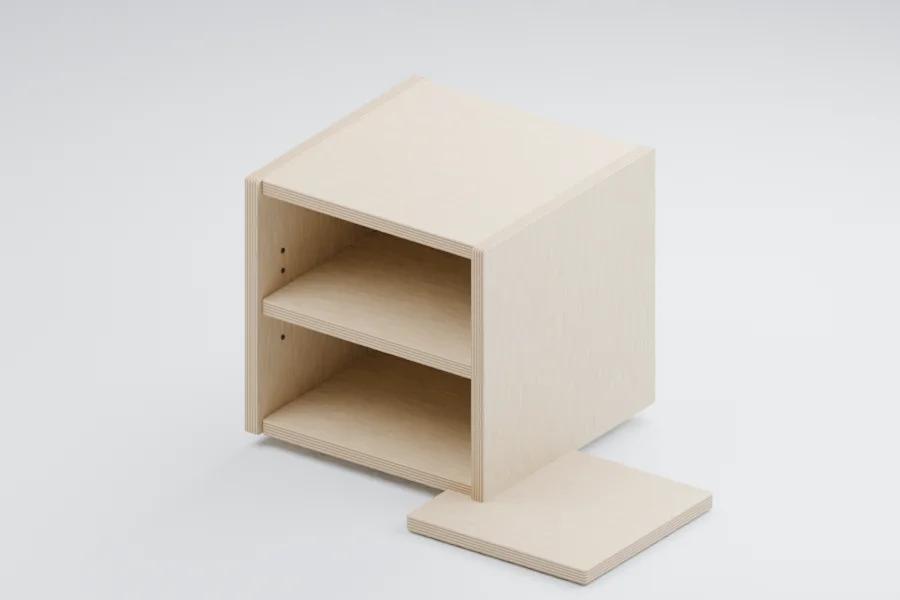
Cabinet components
Routed panels and shelf-pin holes, shown in an example assembly.
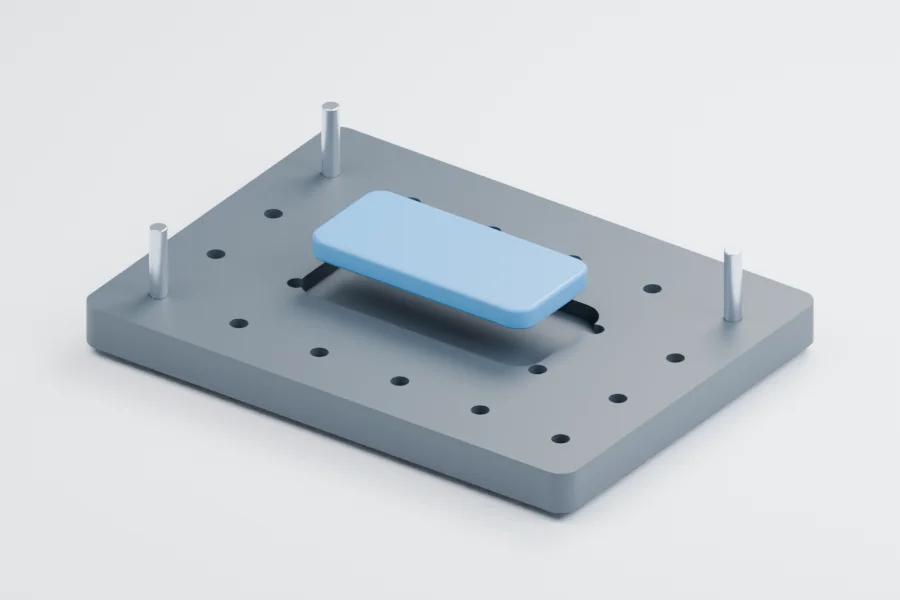
Jigs & fixtures
Holes and pockets in a fixture plate. Pins and the workpiece show how it could be used.
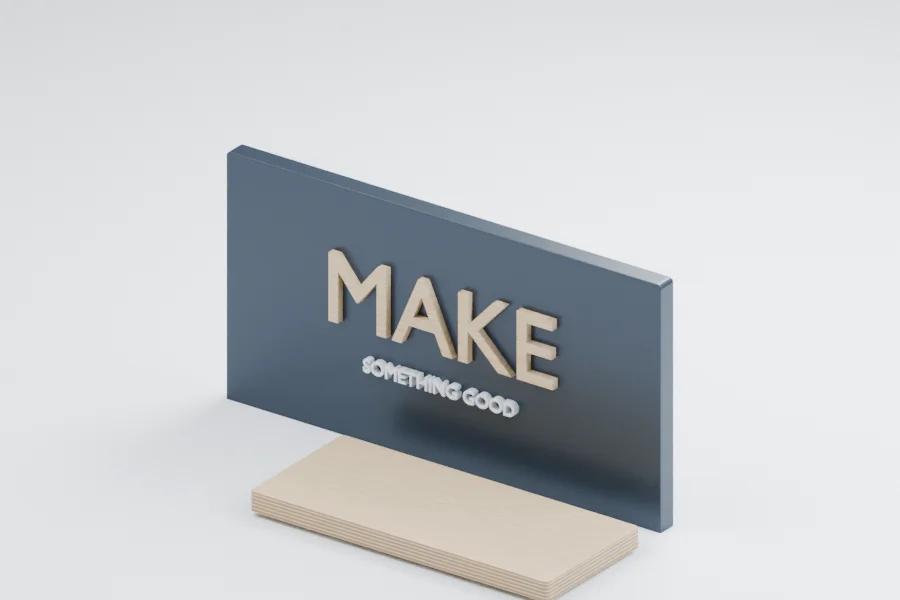
Dimensional sign parts
Cut letters, a backing panel and a base, shown assembled for context.
Material matters
Start with the right sheet.
- Baltic Birch
- Maple Plywood
- Birch Plywood
- ACX Fir
- MDO
- MDF — Standard
- MDF — Ultra Light
- Clear Cast Acrylic
- Dibond (ACM)
- Corian Solid Surface
- ABS
- HDPE
- EPS Foam
Illustrative material swatches. See the current catalog and quote picker for thicknesses and stock.
From design to production
Know what goes into your part.
From file to confirmed features
STEP carries solid geometry and feature depths. DXF and SVG work too: review cut types and enter depths in the interactive feature viewer. The importer reports cleanup changes so you can check the result before confirming.
Choose material, thickness, quantity, and any grain requirements. Grain matching is opt-in and off by default; otherwise parts nest for the best yield.
How cutting and material are priced
Cutting is priced per part. Shop-supplied material is billed by the whole sheets required by the nest. If you supply sheets, a per-sheet handling fee applies instead. The quote shows each part’s price and the total.
Review the sheet layouts, delivery choice, current lead-time options, and proof before checkout. Changes to confirmed features require confirmation again.
Capabilities and accuracy
The shop’s router has a 61 × 121″ sheet and cutting envelope, with a drill bank and a second spindle. The machine positions to ±0.001 inch; finished parts typically hold ±0.005–0.010 inch, depending on the material and geometry. Call out critical fits for review; sheet movement and part geometry affect the result.
The practical details
Turnaround, delivery & pricing
Timing
Standard · 5–7 business days; Fast · 3 business days; Rush · Next business day. Availability depends on capacity.
Pickup & local delivery
Local delivery across the Las Vegas valley (Las Vegas, Henderson, North Las Vegas and Boulder City). $45 flat. Free on orders of $500 or more. Pickup is free.
How it’s priced
Each part is priced on its cutting and the sheets it nests on, so parts that share a sheet share its cost. The quote shows each part’s price and your total before you pay.
Order minimum: $95.
Example prices
Typical jobs priced live by the instant quote’s engine at today’s rates — standard lead time, picked up. Your file’s exact price comes from the instant quote.
- Sign blank24 × 12″ · 3/4″ Baltic Birch · 1 piece$132.95
- Sign blanks24 × 12″ · 3/4″ Baltic Birch · 10 pieces$236.63$23.66 each
- Base cabinet sides34 1/2 × 23 1/4″ · 3/4″ Baltic Birch · 4 pieces$250.07$62.52 each
- Slot-together shelf2 sides 36 × 14″ + 3 shelves 30 × 12″ · 1/2″ Baltic Birch · 1 set · 5 pieces$203.60per set
A practical guide
CNC router cutting for Las Vegas projects
How Las Vegas builders, sign shops and makers use the CNC router — choosing a sheet, designing parts that cut cleanly, and what moves the price.
What Las Vegas customers route
Las Vegas is built and rebuilt constantly — convention floors, resort and retail interiors, production shows, restaurants and new homes — and a CNC router turns sheet goods into the parts behind that work. It cuts outlines, cutouts, pockets, dados and drilled holes from plywood, MDF, plastics, composite panels and foam, straight from your file.
- Trade show and exhibit parts
- Booth walls, counters, headers, shelving and slot-together frames for shows at the convention center and the Strip’s expo halls. Parts arrive flat for your crew to assemble, paint or wrap, and a repeat booth reorders from the same file.
- Signs and dimensional letters
- Dimensional letters, logos and sign faces in MDF, acrylic, Dibond, MDO or EPS foam, plus backer panels and mounting templates. Convert text to outlines and keep every stroke wider than the 1/8″ bit.
- Casework, fixtures and furniture
- Cabinet boxes, doors, shelves, retail fixtures and furniture parts, with shelf-pin holes, hinge cups and connector bores cut by the router’s drill bank and hardware tooling in the same setup.
- Scenic and themed builds
- Profiles, flats, platform parts, column wraps and set pieces for stage productions, corporate events and themed spaces — usually a painted MDF face over plywood structure.
- Jigs, fixtures and templates
- Router templates, assembly jigs, drill guides and nesting fixtures for fabricators and production lines, in HDPE or ABS where parts take wear or moisture.
CNC cutting from a file means the hundredth part matches the first — useful when a booth tours, a fixture repeats across stores, or a family of signs has to line up.
Choosing a sheet material
Pick the sheet for what the part has to survive, what people will see and what it has to hold. The exhibit and scenic material guide walks through the trade-offs; in short:
- Baltic birch plywood
- Strong, stable and good-looking at the edge — the default for parts that carry screws, tour or show their plies.
- Birch and maple plywood
- Domestic hardwood faces for stain-grade cabinets, shelving and displays.
- ACX and MDO plywood
- ACX for budget paint-grade structure; MDO’s smooth resin-paper face for painted signs that live outdoors.
- MDF and ultra-light MDF
- The smoothest paint-grade faces for scenic panels, letters and patterns; the ultra-light grade takes weight out of big pieces.
- Clear cast acrylic
- Clear and light-carrying for lit signs, diffusers, sneeze guards and displays.
- Dibond (ACM)
- Flat, light aluminum composite for printed sign faces, headers and cladding.
- HDPE and ABS
- HDPE for wet and high-wear parts (ask for a UV-stabilized grade outdoors); ABS for enclosures, trays and fixtures.
- Corian solid surface
- A dense, polishable solid surface for plaques, display tops and counter details.
- EPS foam
- Light, carvable foam for oversized letters, props and scenery.
Las Vegas air is dry, so wood cut here can take on moisture and grow slightly when it ships to a humid venue. Leave clearance in joints that cross the grain, and seal raw edges on exhibit parts. Stocked thicknesses and sheet sizes for every material are in the material library and the quote picker.
Design rules for routed parts
A router cuts with a spinning, round bit, and that one fact drives most of the rules below. The quote checks every part against them before it’s priced and names anything that needs a change.
- Inside corners
- The smallest bit is 1/8″, so routed inside corners keep at least a 1/16″ radius. Outside corners can be sharp.
- Dog-bones and T-bones
- Where a square tab, shelf or panel must seat fully in a routed slot or pocket, add dog-bone or T-bone relief at the corners so the rounded corners don’t hold it out.
- Tab-and-slot joints
- Size slots to the measured sheet plus a little clearance, not to the nominal thickness — a sheet sold as 3/4″ rarely measures 0.750″. The tolerances guide lists fit allowances.
- Narrow slots and details
- Anything narrower than the bit can’t be routed as drawn. The quote names the feature so you can widen it or switch it to an engraved line.
- Drilled holes
- Round holes from 3 mm (0.118″) up are drilled by the router’s drill bank. Smaller holes are drilled on request: the quote flags them and the shop confirms the part before you pay.
- Pockets and dados
- Model them at true depth in a STEP file, or name the depth in your DXF layers — the layer-naming convention tags them automatically. Pocket corners are rounded by the bit too.
- Small parts
- Very small parts are flagged in the quote, because they’re hard to hold down once they’re cut free. Group tiny pieces on a larger blank, or ask the shop.
- Text and artwork
- Convert fonts to outlines, close every shape and export at 1:1. The CAD file prep guide covers the mistakes that stall a quote.
What drives the price of a routed part
Every routing quote shows each part’s price and the total before you approve the proof. What moves that price:
- Cut length
- Through-cutting is priced by the linear inches the bit travels around outlines and cutouts, at a rate set for the material.
- Pockets and dados
- Priced by the material they remove, with a minimum per feature.
- Holes and hardware
- Drilled holes are priced per hole by size; hinge cups, shelf-pin bores and connectors are priced per operation.
- Material
- Shop-supplied sheet is billed by the whole sheets your parts nest onto, so a part that just misses fitting two to a sheet can change the count. Supplying your own sheets swaps the material charge for a handling fee.
- Quantity
- Larger runs of the same part earn a volume discount on cutting.
- Speed and delivery
- Standard, fast and rush lead times are priced differently. Local delivery has a flat fee that’s waived on larger orders, and pickup is free.
To lower the cost, let parts share sheets, choose the thinnest sheet that does the job, engrave a line instead of cutting a pocket where a line will do, and order repeat parts together. The quote re-prices as you change any of these, so you can compare before you commit.
Router, laser, plasma or waterjet?
Each cutting process has its lane. Here’s how they compare for the parts people bring to a Las Vegas job shop:
- CNC router — available now
- Wood, plastics, composite panels and foam. The only one of the four that cuts pockets, dados and drilled hardware holes; inside corners keep the bit’s radius.
- Fiber laser — available now
- Sheet metal and steel plate in steel, stainless, aluminum, brass and copper. A narrow beam gives fine detail and nearly sharp inside corners, but it always cuts all the way through. The shop’s fiber laser is set up for metal only, so wood and acrylic parts are routed.
- CNC plasma — available now
- Steel, stainless and aluminum plate with its own instant quote. Usually chosen for thicker plate, with a wider kerf and a rougher, slightly beveled edge than the laser’s.
- Waterjet — not offered
- A cold cut for stone, glass, tile and very thick metal. The Job Shop doesn’t run a waterjet; if a part truly needs one, describe it in a custom fabrication inquiry.
Not sure which machine your part belongs on? Start an instant quote: the routing, laser and plasma quotes each check your file against their own machine’s rules.
CNC Routing FAQs
What file formats do you accept?
STEP (.step or .stp), DXF, and SVG. Review the detected features and depths before confirming.
Can I supply material?
Yes. Choose customer-supplied material in the quote. A per-sheet handling fee replaces the material charge; coordinate sheet suitability and drop-off with the shop.
Does nesting lock grain direction?
Only when you enable Grain matching. It is off by default for the best yield.
Is there an order minimum?
Yes. If your parts come in under the shop minimum, the quote is priced at the minimum and tells you so — adding parts or quantity uses that room before the price goes up.
How long does CNC routing take?
Choose standard, fast or rush in your quote; each shows its estimated ready date. Lead time counts business days from when your payment clears, and the faster speeds cost more.
Do you deliver CNC-routed parts?
Yes, in the Las Vegas valley — your quote checks your ZIP and shows the delivery fee, which is waived on larger orders. Pickup at the shop is free, by appointment.
Do you offer CNC router cutting services in Las Vegas?
Yes. The Job Shop’s CNC router cuts plywood, MDF, plastics, Dibond and foam from your DXF, SVG or STEP file. Upload it for an instant quote, pay online, then pick up at the shop or get local delivery in the Las Vegas valley.
Can you cut dimensional letters and signs?
Yes. Letters, logos and sign faces route cleanly in MDF, acrylic, Dibond, MDO and EPS foam. Convert text to outlines, keep strokes wider than the 1/8″ bit, and add stud or mounting holes if the letters hang on a wall. Painting and installation aren’t part of the online quote.
Do you cut trade show and exhibit parts?
Yes — booth walls, counters, headers and slot-together frames are typical router work, in Baltic birch, MDF, Dibond and acrylic. Add your show dates to the order notes. Local delivery drops parts at an address in the valley; deliveries to a show site are confirmed per job, because venues and their show contractors control the docks.
What’s the difference between CNC routing and laser cutting?
A CNC router cuts with a spinning bit, so it handles wood, plastics and composites and can cut pockets, dados and drilled holes — but its inside corners keep the bit’s radius. The fiber laser cuts metal with a narrow beam for fine detail, always all the way through. Wood and plastic parts are routed; metal parts are laser cut.
How large a part can the CNC router cut?
Up to 61 × 121″, the router’s sheet and cutting envelope. Each part must also fit a sheet stocked in its material and thickness — the quote checks that for you — and larger assemblies can be split into joined pieces.
Guides for this process
CNC Routing guides
- CAD File Prep for CNC Routing: STEP vs DXF
How to prep CAD files for CNC routing — why STEP beats DXF, what our importer auto-fixes, and the common file mistakes that stall quotes.
- How Many Parts Fit on a 4×8 or 5×10 Sheet?
Enter a part size and see how many fit on a 4×8 or 5×10 sheet, using the spacing, layout rules and sheet sizes of The Job Shop’s instant quote.
- DXF Layer Naming for CNC Routing
Name your DXF layers THRU, POCKET-0.375, DADO-0.75-0.25, or DRILL-0.25-THRU and The Job Shop tags every feature for you — just review and confirm.
- CNC Routing Tolerances Design Guide
What tolerances CNC routing really holds in plywood, MDF, plastics, and ACM — and how to design joints, fits, and assemblies that go together every time.
- Sheet Materials for Exhibits & Scenic Work
Baltic birch, MDF, ACX, HDPE, acrylic, or ACM? A practical guide to picking CNC-routed sheet materials for exhibits, scenic, and event builds.
- How Instant CNC Quoting Works
Upload, confirm parts, review pricing, and approve a proof — a guide to the Parts, Quote, and Order workflow at The Job Shop.
- Tab and Slot Design for CNC Router Parts
Design tab-and-slot CNC router parts that assemble: size slots to the measured sheet, add dog-bone or T-bone corner relief, test fits, grain and assembly.
- Dog-Bone & T-Bone Fillets for CNC Routing
Why a CNC router can’t cut a sharp inside corner, when to add dog-bone or T-bone fillets, how big to draw them, and how to make slot joints seat fully.
- Plywood vs MDF vs HDPE vs Acrylic for CNC
Plywood vs MDF for CNC routing, plus HDPE and acrylic: strength, routed edges, moisture, paint, outdoor use and cost drivers, with a pick for each job.
- CNC Router vs Laser vs Plasma vs Waterjet
CNC router vs laser cutter vs plasma vs waterjet: materials, edges, tolerances, thickness and cost compared, and which ones The Job Shop runs in Las Vegas.
Industries that use this
Who uses CNC Routing
- Signage
Cut letters, ACM faces, backers and plaques for sign shops — routed from MDF, acrylic, Dibond, MDO, HDPE and foam, or laser cut from metal.
- Trade Show & Exhibits
Booth walls, counters, headers and slot-together frames that pack flat, go up without tools and reorder from the same files for the next show.
- Cabinetry & Millwork
Cabinet boxes, doors, shelves and built-in parts, nested for yield, with shelf-pin holes, hinge cups and connector bores drilled in the same setup.
- Retail Fixtures & Displays
Shelving, risers, POP displays and acrylic-and-plywood fixtures, cut from one set of files and reordered for every store in a rollout.
- Prototyping & Short Runs
Prototype parts, jigs, fixtures and short production runs — upload a STEP file, re-price each revision instantly and see the price at every quantity.
Keep exploring